
FMovies App Not Working: Causes & What to Do Instead (2026)
If you are searching for fmovies app not working fix 2026, you are probably facing frustrating issues while trying to stream movies or TV shows on your Android device.
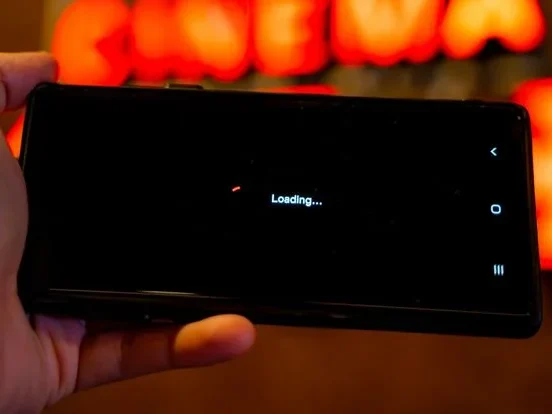
Many users experience problems where the app crashes suddenly, videos refuse to load, buffering becomes endless, or the screen stays completely black. These problems are common with unofficial streaming APK apps, especially when servers become overloaded or outdated app versions stop functioning properly.
The honest answer is that these failures are built into how unofficial apps are distributed — and no fix lasts for long. This guide explains the causes, what is actually worth doing, and the safer options that simply keep working.
Why Is the FMovies App Not Working?
Several reasons can cause app failures.
Common causes include:
- Outdated APK version
- Corrupted cache files
- Server downtime
- Slow internet connection
- Unsupported Android version
- Broken streaming servers
- Excessive background apps
Users searching for fmovies app not working fix 2026 often experience one or multiple of these problems at the same time.
Common FMovies App Problems
Users commonly report:
- App crashing after opening
- Black screen playback
- Buffering forever
- “Server error” messages
- Videos not loading
- Subtitle failures
- App freezing on Android TV or Firestick
These problems are especially common on unofficial APK versions.
What to Do When an Unofficial App Stops Working
First, recognize the pattern. The failures listed above are not a run of bad luck — they are built into how these apps are distributed, as the next section explains. No fix lasts for long.
Second, be careful with the obvious next move. Downloading a “newer version,” or accepting an in-app update prompt, is the riskiest step of all, because the replacement file comes from the same untrusted sources as the original.
If the app starts asking for new permissions, payment details, or a separate “player” install, remove it instead: open Settings, then Apps, select the app, and choose Uninstall. Afterwards, run a Google Play Protect scan from the Play Store.
To check whether the problem is really your connection, test a legitimate app such as Tubi or YouTube. If those stream normally, your device and internet were never the problem.
The lasting fix is switching to an official app that is maintained by its developer and updated through the store — see the alternatives below.
Why Unofficial APK Apps Fail Frequently
Many unofficial streaming APKs experience instability because:
- Servers change frequently
- Developers stop updating apps
- Mirror domains disappear
- Traffic overloads streaming servers
This is why users constantly search for fmovies app not working fix 2026.
Safer Streaming Alternatives in 2026
Many users now prefer safer and more stable streaming platforms.
Popular alternatives include:
1. Tubi
Free legal streaming service.
2. Pluto TV
Offers live TV and movies.
3. Prime Video (Free with Ads)
Prime Video also offers a free, ad-supported selection (the former Freevee catalog) that needs only a free Amazon account — no Prime membership required.
Also explore:
Safety Tips While Fixing APK Issues
While troubleshooting apps:
- Avoid fake “update required” popups
- Do not install unknown plugins
- Avoid suspicious download pages
- Keep Android security updated
Learn more in your Legal & Safety Guide
Trusted Source for Android Troubleshooting
For official Android app troubleshooting help, visit: Android Help Center
Why Users Search for FMovies App Not Working Fix 2026
Many users search for fmovies app not working fix 2026 because unofficial streaming apps often become unstable after updates, server changes, or heavy traffic.
Users mainly want quick troubleshooting methods that restore smooth streaming without reinstalling the app repeatedly.
Final Thoughts
Searching for fmovies app not working fix 2026 has become increasingly common as streaming APK apps continue experiencing server, playback, and compatibility problems.
Restarting the app or clearing its cache may help briefly, but the underlying causes — abandoned builds and disappearing servers — do not change.
Users looking for better stability may also benefit from safer and more reliable streaming alternatives.
FAQ
Why is the FMovies app not working?
Common causes include outdated APK versions, server issues, or internet problems.
How do I fix app crashes?
With unofficial APKs, crashes usually trace back to abandoned builds and vanished servers, so fixes are temporary at best. The reliable fix is an official app from the store, maintained and updated by its developer.
Why does the app show a black screen?
Black screen issues may happen because of corrupted cache or broken playback servers.
What are safer alternatives to unofficial APK apps?
Tubi, Pluto TV, and Prime Video (free with ads) are safer options.
1 Comment